MovieBox
Download MovieBox and enjoy an entertainment experience with movies, web series and more. Get the latest version and explore your favorite content on your Android device.

MovieBox APK Download Information
| Information | Details |
|---|---|
| App Name | MovieBox |
| Latest Version | Latest Available |
| APK Size | Varies by Version |
| Category | Entertainment |
| Platform | Android |
| Android Requirement | Depends on Version |
| License | Free / Varies |
| File Format | APK |
| App Compatibility | Android Devices |
| Content Type | Movies & TV Shows |
| Download | MovieBox APK |
| Website | movieboxapps.org |
Finding a good entertainment app can feel difficult. Many people want one simple place for entertainment. They want an easy interface and smooth navigation. They also want flexible viewing options on Android. MovieBox is a name many entertainment fans search for.
MovieBox APK is commonly searched by Android users. People want to understand its features and installation process. They also want to check device compatibility before downloading. This guide covers these important questions in detail.
Here, you will learn about the MovieBox app. We will explain its main features and settings. You will also find installation and safety information. Our goal is to make everything easy to understand.
Before downloading any APK, check its source carefully. An APK file can contain unwanted or harmful software. Also, streaming rights and content availability vary. Always choose services that have proper distribution rights.
MovieBox APK refers to an Android application package. Android uses APK files to install applications. Some apps distribute their installation files outside stores. MovieBox is one name people search for in this category.
The app is associated with movie entertainment searches. Users generally look for movies and television content. They also want simple browsing and viewing options. However, available features depend on the actual release.
Different websites may offer different MovieBox versions. Their descriptions and screenshots may also differ. Some websites use similar names for unrelated apps. Therefore, checking the developer is very important.
Do not assume every MovieBox download is genuine. Verify the source before installing anything. Read the permissions and privacy information carefully. This small step can prevent unnecessary problems.
Entertainment habits have changed over recent years. Many people now prefer watching content on phones. Smartphones provide entertainment during daily travel. They also make watching content more convenient.
People usually search for MovieBox for several reasons.
They want to understand the application’s interface. They want information about supported Android devices. Some users also look for installation instructions. Others want to compare different entertainment platforms.
A clear download page should answer these questions. It should explain the installation process properly. It should also discuss limitations and safety. That information helps readers make informed decisions.
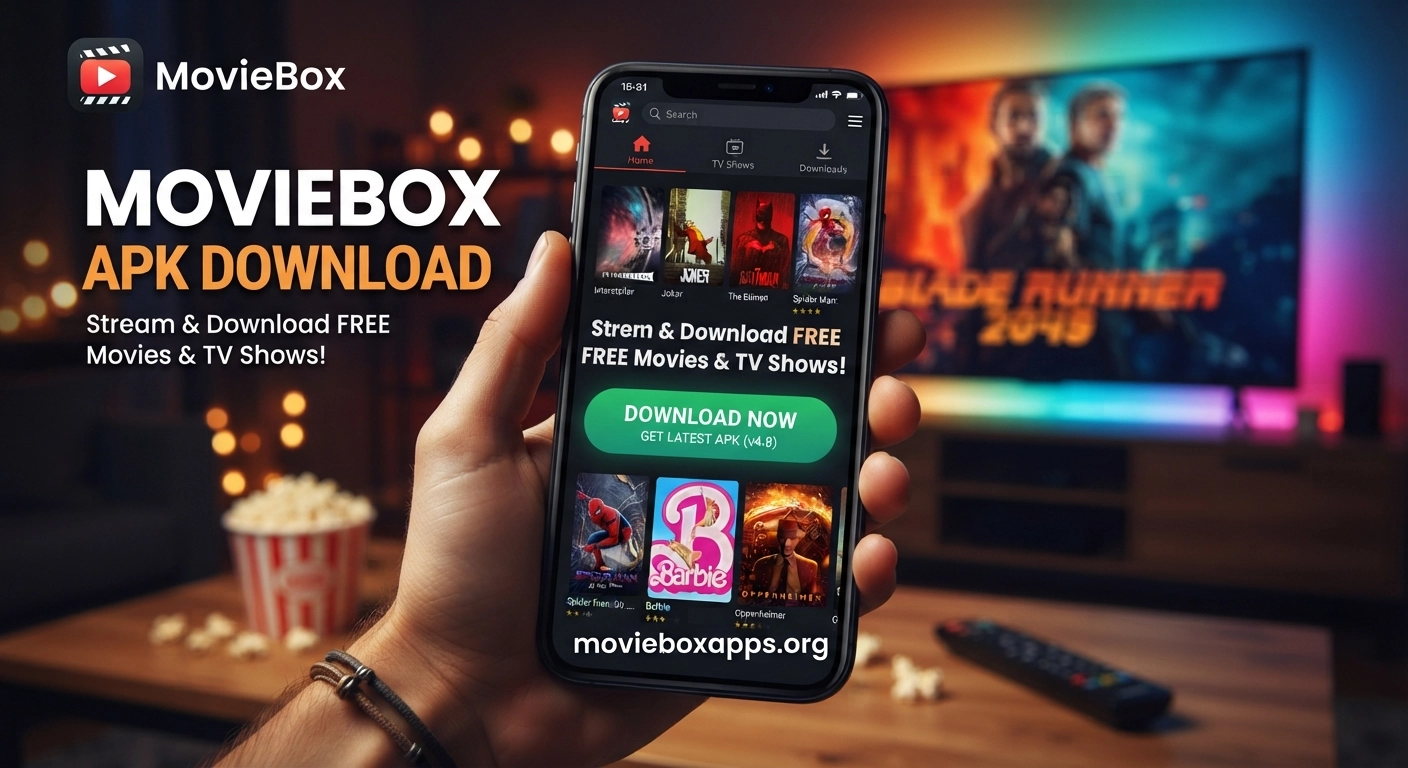
Features can vary between different application releases. Always check the actual app before making assumptions. The following sections explain common features users look for.
1. Simple User Interface
A simple interface makes an application easier. Users should understand the available navigation options. Clear menus can reduce confusion during browsing.
An entertainment app should avoid unnecessary complexity. Its main sections should remain easy to find. Text should also remain readable on smaller screens.
2. Content Discovery
Content discovery helps users find interesting entertainment. Search tools can make this process easier. Categories can also organize available titles.
A useful discovery experience should provide clear information. Users should understand what each title offers. They should also be able to check availability.
3. Search Functionality
Search functionality saves time during content discovery. Users can search for specific titles. They can also look for particular categories.
Good search results should remain relevant. Clear titles make browsing more convenient. Search filters can provide additional assistance.
4. Streaming Experience
Streaming quality depends on several different factors. Internet speed plays an important role. Server performance can also affect playback.
Device hardware may influence video performance. Network interruptions can cause buffering problems. Therefore, smooth playback cannot be guaranteed.
5. Video Quality Options
Some entertainment platforms provide different quality settings. These options can help users manage data usage. Higher quality usually requires a stronger connection.
Available settings depend on the service. Check the actual playback menu for details. Do not trust unsupported quality claims.
6. Easy Navigation
Navigation plays an important role in entertainment apps. Users should move between sections easily. Clear icons can make navigation more comfortable.
A well-organized layout saves browsing time. It also helps new users understand the application.
7. Android Compatibility
Android compatibility depends on the application’s requirements. Different releases may support different Android versions. Device specifications can also affect performance.
Always check the minimum Android requirement. Confirm compatibility before downloading an APK.
8. Account and Privacy Settings
Privacy settings deserve attention in every application. Users should understand what information an app collects. They should also review its privacy policy.
Never provide unnecessary personal information. Avoid applications requesting unrelated permissions.
Android users sometimes search for APK installation files. However, finding a safe file matters more than speed.
Before downloading MovieBox, check these important details:
- Confirm the application’s developer.
- Verify the original distribution website.
- Check the application’s version information.
- Review its Android compatibility requirements.
- Read the privacy policy.
- Check requested application permissions.
- Scan downloaded files with security software.
Avoid unfamiliar websites offering modified installation files. Modified APKs can create security and privacy risks.
If the developer provides an official download, use that source. Otherwise, consider an authorized entertainment platform.
APK installation requires extra care on Android devices. Follow these general instructions only for verified applications.
Step 1: Check Your Android Version
First, open your phone’s Settings application. Find the About Phone section. Check your current Android version.
Compare it with the application’s requirements. Make sure your device meets those requirements.
Step 2: Verify the APK File
Check the application name and developer details. Confirm the download source is trustworthy. Avoid files with suspicious names or extensions.
An APK should come from a verified distributor. Do not install files from random advertisements.
Step 3: Review Android Security Settings
Modern Android devices include installation safeguards. Google Play Protect also checks applications.
Keep these security protections enabled. Do not disable security features just to install unknown software.
Step 4: Review Application Permissions
Check the permissions requested during installation. Consider whether each permission makes sense.
For example, an entertainment application generally needs internet access. Unrelated access requests deserve additional attention.
Step 5: Complete Installation
If the application comes from a verified source, follow its installation instructions.
Wait until Android completes the process. Open the application only after installation finishes.
Step 6: Review the Privacy Settings
Check the privacy settings before using the application. Read the available terms and conditions.
Avoid sharing sensitive information unnecessarily. Use a trusted service with clear privacy practices.
Application updates can improve performance and security. They may also fix existing technical problems.
However, updates should always come from trusted sources.
Follow these general update recommendations:
- Check the developer’s official update information.
- Confirm the new version number.
- Read the release notes.
- Check supported Android versions.
- Review updated permissions.
- Install updates through an authorized source.
Avoid update notifications from unknown websites. Fake update messages can distribute harmful files.
Never install an update simply because a website claims it is newer.
Compatibility is an important consideration before installation.
Not every Android application supports every device. Older phones may also experience performance limitations.
Check the following requirements before using an application.
Android Operating System
Check the minimum supported Android version. Compare it with your phone’s current software.
Older operating systems may lack important security updates. Updating your phone can improve compatibility.
Available Storage
Applications require storage for installation. Some also create additional temporary files.
Keep enough free storage available. Remove unnecessary files when storage becomes limited.
Internet Connection
Streaming services require a reliable internet connection. Slow connections can cause interruptions.
Wi-Fi may provide a more stable experience. Mobile data also works when network coverage is strong.
Device Performance
Processor performance can affect application responsiveness. Available RAM also matters during multitasking.
Close unnecessary background applications if performance becomes slow.
Some users prefer watching entertainment on televisions. Android TV devices provide a larger screen.
However, mobile applications do not always support television interfaces.
Before installing an application on Android TV, check:
- Official Android TV compatibility.
- Remote control navigation support.
- Screen resolution support.
- Application installation requirements.
- Developer documentation.
A mobile APK may not work properly with television controls. Always prefer applications designed for your device.
Android applications sometimes work through Android emulators. However, emulator compatibility is not guaranteed.
An emulator creates an Android environment on a computer. Users can test compatible Android applications there.
Before using an emulator, consider these points:
- Download the emulator from its official website.
- Check its system requirements.
- Review application compatibility.
- Avoid unofficial modified installation files.
- Keep your computer security software active.
Some applications block emulator access. Others may experience display or performance problems.
A supported desktop application is usually a better option.
Different entertainment platforms offer different experiences.
Some focus on licensed streaming libraries. Others provide rental or purchase options. Free services may also include advertisements.
Consider these points when comparing platforms:
Content Availability
Check whether the platform offers your preferred titles. Availability can change between countries.
Subscription Costs
Some services require monthly subscriptions. Others offer selected content without payment.
Read the pricing information before creating an account.
Video Quality
Check available video resolutions and playback settings. Actual quality also depends on internet speed.
Device Support
Look for applications supporting your devices. Some services support phones, televisions, and computers.
Legal Availability
Choose services with proper content distribution rights. This helps protect viewers and content creators.
Safety should always come before convenience.
An APK file can install software directly onto Android. This makes the download source extremely important.
Unknown APK websites may distribute modified applications. Some files may contain unwanted advertising software. Others may request unnecessary device permissions.
Before installing anything, follow these safety recommendations.
Download From Trusted Sources
Check the developer’s official distribution channels. Avoid unfamiliar websites with unclear ownership.
Scan the Installation File
Use reputable security software to scan downloaded files. Keep your Android security protections enabled.
Check App Permissions
Review every permission request carefully. Avoid granting access without a clear reason.
Read the Privacy Policy
Understand how the application handles personal information. Check whether it shares information with third parties.
Avoid Modified APK Files
Modified applications can contain unexpected changes. Their developers may also be difficult to verify.
Never assume a modified file is safe.
The legality of an entertainment application depends on several factors.
These include its content sources and distribution rights. Local copyright laws also affect the situation.
An application name alone does not establish legality. The important question concerns the content it provides.
Before using any streaming service, consider:
- Does it have distribution rights?
- Does it identify its content providers?
- Does it explain its licensing arrangements?
- Does it follow applicable copyright laws?
- Does it provide clear terms of service?
Choose authorized platforms whenever possible. Avoid accessing copyrighted material without permission.
Android applications can sometimes experience technical problems.
These problems may involve installation or playback. Some can also result from network conditions.
Here are common issues and possible solutions.
1. MovieBox APK Is Not Installing
An installation failure can have several causes.
The file may be incomplete or corrupted. Your Android version may also be incompatible.
Try these steps:
- Check the downloaded file.
- Confirm device compatibility.
- Free up storage space.
- Restart your phone.
- Download only from a verified source.
Do not install suspicious replacement files.
2. Application Crashes Frequently
Crashes can happen because of software problems. Device memory limitations can also contribute.
Restart your phone first. Check for official application updates.
If the problem continues, contact the developer.
3. Videos Keep Buffering
Buffering usually relates to network conditions. Server performance may also affect playback.
Try checking your internet connection. Restart your router if necessary.
You can also test another authorized streaming service.
4. Application Shows a Network Error
Network errors can occur during temporary interruptions.
Check whether other applications have internet access. Restart your network connection.
If the error continues, check the service’s official status information.
5. Application Does Not Open
An application may stop opening after an update. Compatibility problems can also cause this issue.
Restart your device. Check for software updates.
Avoid downloading replacement APKs from unknown websites.
6. Installation File Is Blocked
Android includes security protections for downloaded applications.
A blocked installation does not automatically mean the file is safe. Review the warning carefully.
Only proceed with applications from verified distributors.
7. Application Requests Unexpected Permissions
Unexpected permission requests deserve serious attention.
Do not approve unrelated access requests. Review the developer’s privacy documentation.
Uninstall applications that behave suspiciously.
Users have many entertainment choices today.
Official streaming services generally provide clearer licensing information. They also publish developer and privacy details.
Here are some platforms worth comparing.
Netflix
Netflix offers licensed movies and television shows. Its library varies by country and subscription plan.
Amazon Prime Video
Prime Video offers streaming and selected rental options. Availability depends on the region.
Disney+
Disney+ provides licensed entertainment from its participating studios. Its catalogue differs between markets.
Tubi
Tubi provides free, advertisement-supported entertainment in supported regions. Its availability depends on local distribution rights.
Plex
Plex offers personal media management and selected streaming content. Features depend on location and service availability.
Compare these platforms before choosing an entertainment service.
A download page should provide clear information. Readers should not have to guess important details.
Always check these points:
Application Name: Confirm the exact application identity.
Developer: Look for a verifiable developer name.
Version: Check the actual published release number.
File Format: Android installation packages normally use APK files.
File Size: Confirm the published file size.
Android Support: Check minimum operating system requirements.
Permissions: Review requested device access.
Privacy Policy: Understand how personal data is handled.
Copyright Information: Confirm that the service distributes content lawfully.
If a download page cannot verify these details, avoid recommending its files.
A few simple habits can improve your viewing experience.
Use a Stable Internet Connection
A stable network reduces connection interruptions. Use reliable Wi-Fi whenever possible.
Keep Your Android Device Updated
System updates can improve security and compatibility. Install updates from your device manufacturer.
Manage Available Storage
Low storage can affect application performance. Remove unnecessary files regularly.
Use Reliable Applications
Choose services with transparent ownership. Check their privacy and licensing information.
Protect Your Personal Information
Avoid sharing passwords with unfamiliar applications. Never enter sensitive information on suspicious websites.
Monitor Mobile Data Usage
Video streaming can consume significant mobile data. Check your network plan before extended viewing.
1. What Is MovieBox APK?
MovieBox APK is a name searched by Android users looking for an entertainment application. Always verify the actual developer and application before installation.
2. Is MovieBox APK Available for Android?
Android users may find applications distributed as APK files. Availability depends on the developer and distribution source.
3. How Can I Download MovieBox APK?
First, check whether the developer provides an authorized download. Verify the file, developer information, and compatibility before installing it.
4. Is MovieBox APK Free?
Pricing depends on the specific application and its services. Do not assume every application using this name is free.
5. Does MovieBox Work on Android TV?
Compatibility depends on the application release. Check official Android TV support before installation.
6. Can I Install MovieBox on a Computer?
Some Android applications support compatible emulators. However, emulator support is not guaranteed.
7. Why Is MovieBox Not Installing?
Possible causes include corrupted files, insufficient storage, or incompatible Android versions. Check the file source and device requirements.
8. Why Does MovieBox Keep Crashing?
Crashes can result from software errors or compatibility problems. Restart your device and check official updates.
9. Is MovieBox APK Safe to Use?
Safety depends on the actual application and download source. Verify the developer and scan files before installation.
10. Can I Update MovieBox APK?
Updates depend on the developer’s distribution method. Always obtain updates from authorized sources.
11. Does MovieBox Require an Internet Connection?
Online streaming normally requires an internet connection. Specific application functions depend on the release.
12. Can I Use MovieBox Without Registration?
Registration requirements depend on the actual application. Check its official documentation for accurate information.
13. Does MovieBox Support Subtitles?
Subtitle availability depends on the application and content provider. Check the playback settings for supported options.
14. Why Is MovieBox Showing a Network Error?
A network error may indicate connection problems or service interruptions. Check your internet connection first.
15. Should I Download a Modified MovieBox APK?
Modified APK files can create security and privacy risks. Choose verified software from authorized sources instead.
MovieBox APK is a frequently searched name among Android entertainment users. People want clear information before downloading applications. They also want to understand installation and compatibility.
This guide explains the important things to consider. You now understand APK installation and security. You also know about compatibility and troubleshooting.
Remember, a safe download source matters most. Always verify the developer before installing an application. Check permissions and review privacy information carefully.
For a better entertainment experience, choose licensed streaming platforms. They provide clearer information about content rights. They also offer more transparent support options.
Make informed decisions before downloading any application. Your device security should always come first.